

When you start a run for a recipe in Adaptive platform, that process is executed in the same infrastructure that hosts Adaptive Engine. This is the appropriate way to execute long running processes like training or evaluation recipes. However, when you first start writing a custom recipe or a grader, you might want to experiment and debug your logic locally before you neatly wrap the recipe in the appropriate launch syntax and parametrize its inputs. Thankfully, adaptive_harmony allows you to establish a direct connection via secure websockets between your local environment and the compute plane of your Adaptive Engines’ deployment. When you instantiate a RecipeContext, a desired number of GPU’s is allocated directly to you as an interactive session. These GPU’s are freed to run other workloads or interactive sessions as soon as the local python process holding that context in memory is killed.
import asyncio
from adaptive_harmony.runtime import RecipeContext, RecipeConfig

config = RecipeConfig(
    harmony_url="https://my-adaptive-deployment.com" \
    num_gpus=2,
    name="My Session",
    project="my-project", # must exist in your Adaptive deployment
    api_key="sk-...",
    compute_pool="default"
)

ctx = asyncio.run(RecipeContext.from_config(config))
You can also use RecipeConfigCli to avoid hardcoding secrets in python and instead load them from environment variables (all arguments can be overridden with ADAPTIVE_<INPUT_ARG>, for example ADAPTIVE_HARMONY_URL.)
# pass `_cli_parse_args=False` to RecipeConfigCli if you are in a Jupyter cell
config = RecipeConfigCli()
If you use adaptive_harmony in a Jupyter Notebook, you can directly await async methods like .from_config() in a Jupyter cell, no need to use asyncio.
A recipe context contains a client that effectively serves as an LLM API backed by real compute resources. You can locally call methods on this client which in reality get executed in the Adaptive compute plane, and return python objects back to your environment as results. For example, if you run a spawn method to spawn a model on GPU, you’ll get back a new handle in Python to a remote model, such as TrainingModel or InferenceModel, which you can also call methods on (such as .generate(), .train_grpo(), .optim_step(), etc.). This create a hybrid development environment, where you can step through python recipe code locally in your IDE, but have powerful compute resources execute the methods that require them.
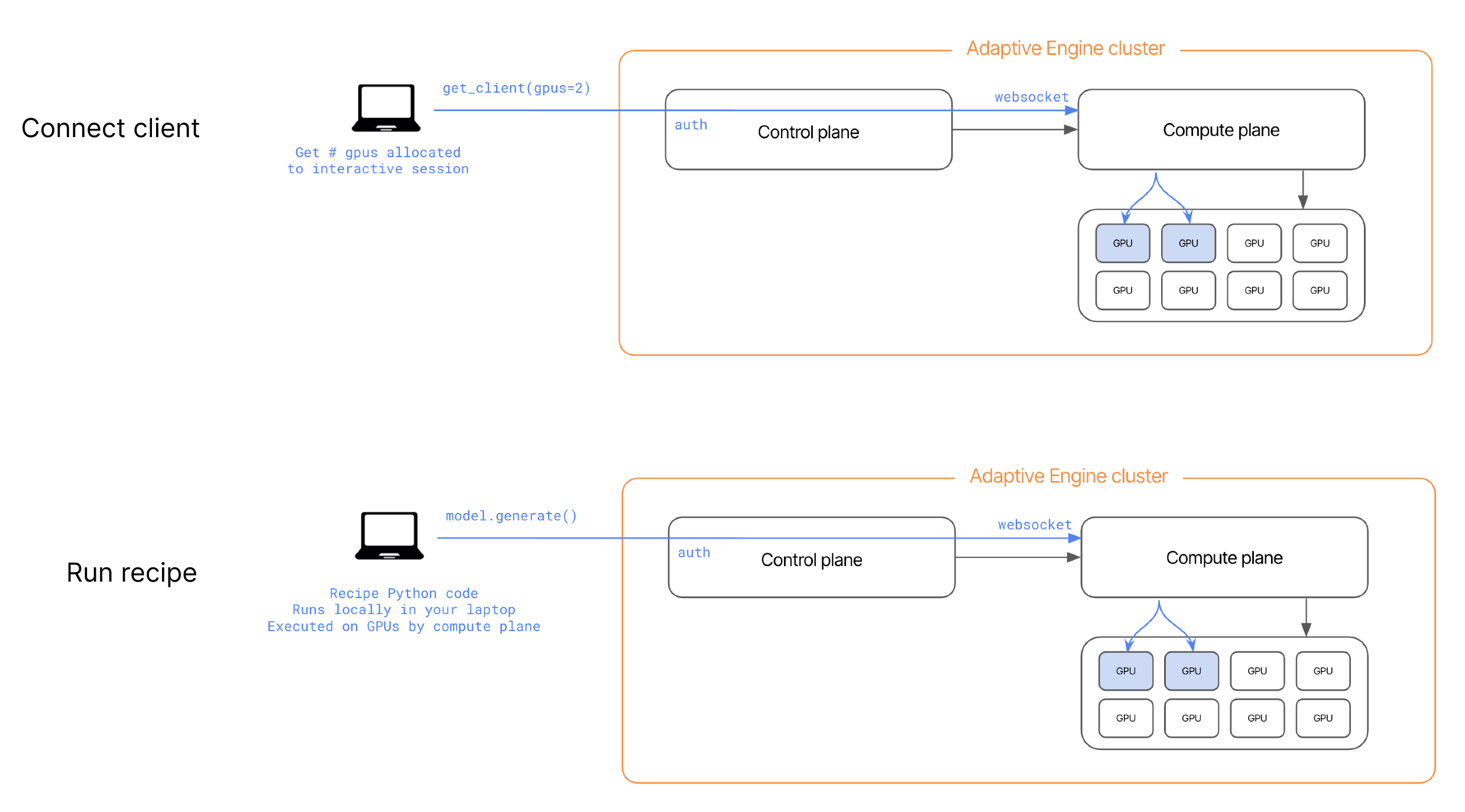
As you will see in Recipe syntax, when you structure a custom recipe into the required format for execution in the Adaptive Engine, RecipeContext is created and configured automatically at recipe launch and passed to the recipe as an input argument (ctx).